
Author: tuananhadmin

  • Salon Check-In and Coupon Tracking: What Your POS Should Measure

    Salon Check-In and Coupon Tracking: What Your POS Should Measure

    Skip to content
    Bring your payments, POS, and marketing together with OntilooLearn more about Ontiloo solutions

    POS & Payments

    Salon Check-In and Coupon Tracking: What Your POS Should Measure

    Evaluate salon check-in and coupon tracking by defining the events, campaign codes, customer permissions and reports you need before choosing a POS workflow.

    By Ontiloo · October 14, 2026 · 2 min read

    A customer presenting a coupon while checking in at a nail salon.
    AI-generated lifestyle image for Ontiloo Insights.

    Check-in and coupon tracking are useful when they answer operating questions: who arrived, which offer was used and what happened afterward. Define those events before asking a provider to demonstrate the software. A check-in count is not automatically a completed visit or a successful campaign.

    Keep the events distinct

    EventWhat it establishesWhat it does not establish
    Check-inA recorded arrival or registrationA completed paid service
    Coupon presentedA guest attempted to use an offerEligibility or final redemption
    Coupon redeemedThe approved offer was appliedAn incremental visit caused by the offer
    Completed saleA recorded transactionProfit after every relevant cost
    Return visitA subsequent recorded visit under a defined methodProof that one campaign alone caused retention

    Define the minimum record

    Use a campaign code, eligible period, applicable service or location, redemption status and transaction reference. Collect only customer information needed for the service and the agreed measurement purpose. Confirm appropriate permissions before using check-in details for marketing.

    Ask for a real demo

    Demonstrate a valid coupon, an expired one, a duplicate attempt, a refunded sale and a staff correction. Check whether the system supports your rules, who can override them and how the report reflects changes. Ask whether coupon and check-in functions are included or require a separate module.

    Build a useful weekly report

    Compare redemptions with completed transactions and relevant revenue. Record the incentive cost and any additional delivery cost. Separate new and returning guests only when your records support that distinction. Include rejected redemptions and staff questions so you can identify unclear offer terms.

    Use the findings operationally

    If customers arrive with an offer staff do not recognize, improve training and campaign records. If many codes are presented but few qualify, rewrite the terms. If the campaign fills already-busy periods, reconsider the capacity goal. Good tracking should make the next decision clearer, not simply produce a larger dashboard.

    Published by Ontiloo · October 14, 2026. Examples are illustrative unless stated otherwise. Product capabilities, prices and platform rules should be checked against the current provider documentation and your agreement.

  • Nail Salon POS Hardware Checklist: Terminals, Printers and Check-In

    Nail Salon POS Hardware Checklist: Terminals, Printers and Check-In

    Skip to content
    Bring your payments, POS, and marketing together with OntilooLearn more about Ontiloo solutions

    POS & Payments

    Nail Salon POS Hardware Checklist: Terminals, Printers and Check-In

    Build a nail salon POS hardware checklist covering terminals, printers, check-in devices, connectivity, accessories, support and equipment ownership.

    By Ontiloo · October 14, 2026 · 2 min read

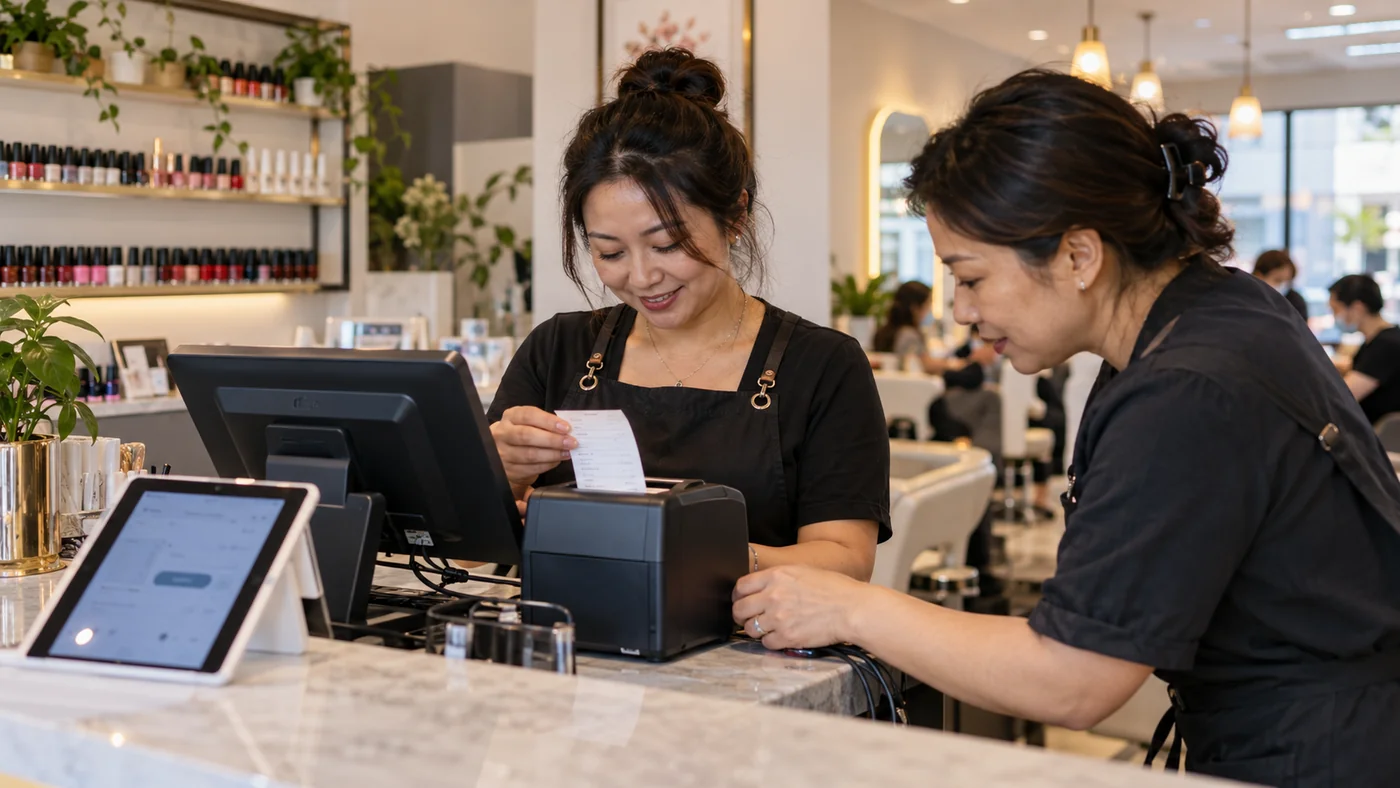
    Salon staff testing a checkout terminal, receipt printer and check-in tablet.
    AI-generated lifestyle image for Ontiloo Insights.

    Choose salon POS hardware from the workflow and supported software, not from appearance alone. The terminal, printer, reader and any check-in device need to work together in the configuration you are buying. Ask for exact model numbers and a demonstration before ordering.

    The hardware inventory

    ItemWhat to verify
    POS screen or tabletSupported operating system, mounting, durability and update policy
    Payment terminalProcessor compatibility, supported methods and customer access
    Receipt printerConnection type, paper size, print speed and replacement supplies
    Cash drawer, if usedCompatibility, access control and reconciliation process
    Check-in device, if neededActual software support and privacy of displayed information
    Network equipmentReliable connection, cabling and documented support responsibility
    AccessoriesChargers, stands, spare paper and approved replacement parts

    Measure the counter

    Check the available space, power outlets, cable paths and customer reach. Staff should be able to operate the system without turning the screen awkwardly or blocking the guest’s view of the payment total. Consider how the equipment will be cleaned according to the manufacturer’s instructions.

    Confirm ownership and replacement terms

    Determine whether each item is purchased, rented, leased or provided under a processing agreement. Ask about warranty, damage, replacement timing, shipping and return obligations. If equipment is proprietary, clarify whether it can be used with another provider later.

    Test the complete transaction

    A compatible printer on paper may still be inconvenient in the actual setup. Demonstrate a sale, receipt, refund and day-end report with the proposed devices. Ask what happens when the printer is offline or the terminal loses connection, and whether a replacement device requires provider activation.

    Keep an equipment record

    Record model, serial number, location, purchase or contract reference and support contact. Establish a routine for checking that payment devices have not been altered and for reporting problems. Use the PCI SSC merchant resources and your provider’s instructions to clarify relevant security responsibilities.

    Ontiloo can discuss hardware options with your requirements in view. Confirm the exact supported bundle rather than assuming all devices pictured on a service page are included.

    Published by Ontiloo · October 14, 2026. Examples are illustrative unless stated otherwise. Product capabilities, prices and platform rules should be checked against the current provider documentation and your agreement.

  • How to Switch Salon POS Systems with Less Disruption

    How to Switch Salon POS Systems with Less Disruption

    Skip to content
    Bring your payments, POS, and marketing together with OntilooLearn more about Ontiloo solutions

    POS & Payments

    How to Switch Salon POS Systems with Less Disruption

    Plan a salon POS switch with a data inventory, migration checks, staff training, opening balances and a fallback process for the first trading days.

    By Ontiloo · October 14, 2026 · 2 min read

    Salon staff working with a technician to install a new point-of-sale system.
    AI-generated lifestyle image for Ontiloo Insights.

    A salon POS switch is an operating change, not just a device installation. Plan what must transfer, what must remain accessible in the old system and how the team will handle the first trading day. Test the proposed configuration before ending the current arrangement.

    Inventory the records that matter

    List service menus, prices, staff permissions, customer records, gift card balances, open appointments and historical reports. Confirm which data can legally and technically be exported and imported. Do not assume stored payment credentials can move between providers; ask for the supported, compliant process if that is relevant.

    Build a migration checklist

    StageEvidence of readiness
    ScopeWritten list of data and workflows included
    ExportUsable files retained with appropriate access controls
    ImportRecord counts and sample entries checked
    ConfigurationServices, taxes, permissions and payment settings verified
    TrainingStaff complete common transactions and exceptions
    LaunchOpening balances, support contact and fallback agreed

    Reconcile balances separately

    Gift cards, deposits or other stored-value obligations require careful handling if they are part of your business. Compare the old report with the imported opening balances and document unresolved differences. Do not cancel access to the old system until the required records and reconciliation process are secure.

    Train for a normal day and a difficult one

    Practice checkout, split payments, corrections, refunds and closing reports as applicable. Include a lost connection or failed printer in the exercise. Give staff a short operating guide with the support contact and the approved response when the system cannot complete a transaction.

    Choose the cutover window

    Prefer a time that allows setup and verification before customers arrive. Clarify whether both systems will remain available briefly and how duplicate entry will be prevented. Retain a way to process legitimate refunds for earlier transactions under the old provider’s rules.

    Review the first trading days

    Compare sales, receipts, refunds and deposits. Log issues with timestamps and transaction references that do not expose unnecessary customer data. Resolve material discrepancies with the provider before expanding optional features. A successful switch is one the team can operate and reconcile confidently.

    Published by Ontiloo · October 14, 2026. Examples are illustrative unless stated otherwise. Product capabilities, prices and platform rules should be checked against the current provider documentation and your agreement.
  • Salon POS Tips and Commissions: Questions to Ask in a Demo

    Salon POS Tips and Commissions: Questions to Ask in a Demo

    Skip to content
    Bring your payments, POS, and marketing together with OntilooLearn more about Ontiloo solutions

    POS & Payments

    Salon POS Tips and Commissions: Questions to Ask in a Demo

    Evaluate salon POS tip and commission workflows with realistic demo scenarios, correction handling, permissions and exports before relying on the system.

    By Ontiloo · October 14, 2026 · 2 min read

    Salon team reviewing tips and commissions on a point-of-sale tablet.
    AI-generated lifestyle image for Ontiloo Insights.

    If tips or commissions are important to your salon, ask a POS provider to demonstrate the exact workflow you need. A system may record a tip without supporting your allocation method, and a commission report is not necessarily a payroll system. Define the operational requirement before comparing features.

    Bring these scenarios to the demo

    ScenarioWhat to verify
    Two staff members serve one guestHow sales and tips can be attributed and corrected
    A service is discountedWhich amount is used in a configured commission calculation
    A customer requests a refundHow the related sale, tip and reporting entries change
    A transaction is assigned incorrectlyWho may correct it and whether an audit trail remains
    End-of-period reportingExport fields, date boundaries and reconciliation with payments

    Define the calculation rules

    Write down which services, products, discounts and adjustments affect the calculation. Use fictional examples with expected answers, then compare the system’s output. Do not assume the default configuration matches your agreements or applicable requirements.

    For illustration, a 40% calculation on an eligible $80 service base produces $32. If the eligible base changes after a discount or refund, the result may differ. The correct base depends on your approved arrangement; this example is arithmetic, not a recommendation for compensation.

    Separate operational reports from payroll decisions

    Confirm whether the product merely reports amounts or also supports a payroll integration. Ask your payroll or accounting adviser how the records should be used and what additional information is required. Do not treat a POS feature as a determination of worker classification, wage obligations or tip rules.

    Review permissions and corrections

    Staff should have access appropriate to their roles. Ask who can change assignments, reverse transactions or export reports. Test whether corrections are visible and whether a manager can explain a revised total without reconstructing the entire day manually.

    Get the scope in writing

    Record the exact software plan, modules and configuration demonstrated. Ask whether setup and training are included. Ontiloo’s public POS information does not by itself confirm a specific tip, commission or payroll feature; request confirmation for the proposed solution before making it a requirement of your purchase.

    Published by Ontiloo · October 14, 2026. Examples are illustrative unless stated otherwise. Product capabilities, prices and platform rules should be checked against the current provider documentation and your agreement.

  • Contactless Payments for Nail Salons: What to Check Before Setup

    Contactless Payments for Nail Salons: What to Check Before Setup

    Skip to content
    Bring your payments, POS, and marketing together with OntilooLearn more about Ontiloo solutions

    POS & Payments

    Contactless Payments for Nail Salons: What to Check Before Setup

    Prepare contactless payments for a nail salon by checking terminal compatibility, processor support, receipts, refunds, staff training and network reliability.

    By Ontiloo · October 14, 2026 · 2 min read

    Customer paying contactlessly with her phone at a nail salon.
    AI-generated lifestyle image for Ontiloo Insights.

    Contactless payments require a supported combination of terminal, payment software and processor configuration. Before setup, ask the provider to confirm which cards and wallets work in your proposed system. Then test the normal sale, declined payment and refund workflows with your team.

    Check the complete setup

    AreaQuestion for the provider
    TerminalIs this exact model enabled and supported for the required contactless methods?
    ProcessingWhich transaction types and fees apply?
    POS connectionDoes the amount transfer automatically or require manual entry?
    Customer flowWhen do tips, receipts and confirmations appear?
    RefundsHow does staff locate and refund the original transaction?
    ConnectivityWhat happens when the internet or local network fails?

    Place the terminal for the guest

    Customers should be able to see the total and reach the reader comfortably. Check cable routing, counter space and accessibility. Avoid a placement that requires staff to take the customer’s card or phone unnecessarily. Make the terminal’s prompts visible without exposing other customer information.

    Train the exceptions

    Staff need to know what to do when a tap does not complete, a transaction is declined or the device loses connection. Ask the provider how to distinguish a failed attempt from an approved payment before trying again. A repeated attempt without checking status can create confusion and possible duplicate charges.

    Keep payment security responsibilities clear

    Ask who updates the terminal, how support access is controlled and how staff should report suspected tampering. Follow your acquirer’s applicable validation requirements. The PCI Security Standards Council’s small-merchant resources provide useful questions, but a contactless-capable device alone does not establish that the whole business is compliant.

    Verify before normal trading

    1. Run provider-approved tests for supported payment methods.
    2. Confirm the amount and transaction status in the POS.
    3. Check printed or digital receipts.
    4. Demonstrate a refund and a connection problem.
    5. Verify that the day’s activity appears in the expected reports.

    Confirm current product support in writing. Hardware appearance and a contactless symbol are not substitutes for a tested, supported configuration.

    Published by Ontiloo · October 14, 2026. Examples are illustrative unless stated otherwise. Product capabilities, prices and platform rules should be checked against the current provider documentation and your agreement.
  • How to Read a Salon Merchant Processing Statement

    How to Read a Salon Merchant Processing Statement

    Skip to content
    Bring your payments, POS, and marketing together with OntilooLearn more about Ontiloo solutions

    POS & Payments

    How to Read a Salon Merchant Processing Statement

    Read a salon merchant statement in a repeatable order: sales, refunds, fees, adjustments and deposits, then ask the provider to explain unresolved differences.

    By Ontiloo · October 14, 2026 · 2 min read

    Salon owner reviewing a merchant processing statement with a colleague.
    AI-generated lifestyle image for Ontiloo Insights.

    Read a merchant statement by reconciling the activity first and evaluating the fees second. Start with the statement period and processing account, identify sales and adjustments, then connect the reported activity to deposits. Keep the pricing agreement nearby so unfamiliar charges can be checked against actual terms.

    Follow a five-pass review

    1. Confirm the period. Check account, location, dates and whether fees are deducted daily or separately.
    2. Review transaction activity. Identify sales, refunds, transaction count and relevant card totals.
    3. Group charges. Separate processing, recurring service, equipment and unusual fees.
    4. Reconcile funding. Match deposits and adjustments with bank activity, allowing for timing differences.
    5. Record questions. Ask the provider to explain any amount you cannot reconcile.

    Use a simple reconciliation worksheet

    LineRecord
    Gross processed salesThe relevant statement total before deductions
    Refunds and reversalsAmounts and dates affecting settlement
    Fees deductedWhich fees were removed from funding
    Other adjustmentsDisputes, reserves or corrections shown by the provider
    Expected fundingYour reconciled amount for the matching batches
    Bank depositsActual deposits, with timing differences noted

    Not every statement uses the same structure. Do not force a formula onto a provider’s report without understanding whether sales are gross or net and when charges are deducted. Ask for a worked example using one batch if the reconciliation remains unclear.

    Review fees against the agreement

    For every recurring charge, record its purpose and contractual basis. Compare percentage and per-transaction charges with the applicable volume and count. Note any changes from the prior period and ask when notice was issued if the pricing changed.

    Use the effective rate as a signal

    A consistently defined effective rate can help identify a change worth investigating. It does not explain the cause by itself. Card mix, average ticket, refunds and separate software charges can make two months difficult to compare without context.

    Share statements carefully

    For a provider review, use an agreed secure channel and limit the information to what is needed. Avoid posting statements publicly or exposing customer payment details. Retain your own copy, the questions raised and the provider’s written explanation so next month’s review becomes easier.

    Published by Ontiloo · October 14, 2026. Examples are illustrative unless stated otherwise. Product capabilities, prices and platform rules should be checked against the current provider documentation and your agreement.

  • Cash Discounts vs Surcharges: Questions Salon Owners Should Ask

    Cash Discounts vs Surcharges: Questions Salon Owners Should Ask

    Skip to content
    Bring your payments, POS, and marketing together with OntilooLearn more about Ontiloo solutions

    POS & Payments

    Cash Discounts vs Surcharges: Questions Salon Owners Should Ask

    Compare cash discounts and card surcharges with questions about displayed prices, debit cards, disclosures, processor setup and applicable local rules.

    By Ontiloo · October 14, 2026 · 2 min read

    Receptionist explaining payment options to a salon client at checkout.
    AI-generated lifestyle image for Ontiloo Insights.

    A cash discount and a card surcharge describe different pricing approaches, and the name on a sales brochure does not determine whether a program is properly configured. Before adopting either, review the actual prices shown to customers, how the POS applies them and the rules that govern your location and payment agreement.

    Start with the customer-facing price

    In general terms, a cash discount reduces a stated price for an eligible cash payment, while a surcharge adds a charge for an eligible card payment. The implementation, signage, receipt and legal treatment matter. Ask the provider to demonstrate the exact transaction rather than treating these terms as interchangeable.

    QuestionWhat to obtain
    What price is displayed?Examples of menu, counter, online and receipt pricing
    Which payment types are affected?Written treatment of credit, debit, prepaid and other methods
    What rules apply here?Current processor, network and jurisdiction-specific review
    What disclosures are required?Approved wording and placement for the actual setup
    How are refunds handled?A demonstrated full and partial refund workflow
    What does the salon still pay?All remaining program, processing and equipment costs

    Do not assume debit follows credit rules

    Visa’s U.S. surcharge guidance restricts surcharging to credit cards and excludes debit and prepaid cards. It also describes notification and disclosure requirements. Review the official guidance with your acquirer and confirm the current rules for every supported network. State requirements can differ and change.

    Test the customer experience

    Run demonstrations for the payment methods your guests use. Check the total before payment, the wording staff use, the receipt and the refund. Ask how the system identifies eligible cards and prevents an inappropriate charge. “The terminal does it automatically” is not a complete explanation.

    Evaluate the business effect

    Consider guest understanding, complaints, staff training and the remaining costs, alongside any projected savings. Compare a documented current bill with a proposed configuration using explicit assumptions. Do not treat “zero processing” language as proof that the business will have no payment-related costs.

    This is a checklist for evaluating a proposal. Before implementation, obtain current guidance from your processor and a qualified adviser for your jurisdiction. It is not a state-by-state legal determination or an approval to enable a program.

    Published by Ontiloo · October 14, 2026. Examples are illustrative unless stated otherwise. Product capabilities, prices and platform rules should be checked against the current provider documentation and your agreement.
  • Nail Salon Credit Card Processing Fees Explained

    Nail Salon Credit Card Processing Fees Explained

    Skip to content
    Bring your payments, POS, and marketing together with OntilooLearn more about Ontiloo solutions

    POS & Payments

    Nail Salon Credit Card Processing Fees Explained

    Understand salon card processing statements by separating pricing structure, transaction charges, recurring fees and the effective rate for a defined period.

    By Ontiloo · October 14, 2026 · 2 min read

    Salon owner and bookkeeper reviewing card payment processing charges.
    AI-generated lifestyle image for Ontiloo Insights.

    A card processing bill can contain several kinds of charges. To compare salon merchant services, identify the pricing structure, understand what each fee covers and calculate a consistent effective rate. A quoted percentage alone rarely describes the full monthly cost.

    Separate the components

    Payment processing can involve card-network and issuer-related costs, the provider’s pricing and additional service charges. How those appear depends on the agreement. Flat-rate, interchange-plus and tiered proposals present costs differently, so ask the provider to explain the actual schedule rather than relying on the label.

    Statement itemQuestion
    Percentage-based chargesWhich sales amount and transaction types do they apply to?
    Per-transaction chargesAre authorizations, sales, refunds or other events charged separately?
    Monthly feesWhat service does each fee cover?
    Equipment or softwareIs it included in processing or billed elsewhere?
    Adjustments and disputesWhat event produced the charge and what terms apply?

    Calculate a comparable effective rate

    Effective processing rate = included processing fees ÷ the matching processed card volume × 100. Define which fees and volume are included, and use the same definition each month. A settlement deposit is not automatically the correct denominator because it may already reflect fees, refunds or adjustments.

    Illustrative example: $1,500 of defined processing fees on $50,000 of matching card sales produces a 3% effective rate. That number does not identify which provider component is negotiable, and it is not a quote or an industry benchmark.

    Understand why months differ

    Changes in average ticket, transaction count, card mix, keyed payments and refunds may affect the bill. Compare similar periods and annotate unusual events. If the rate changes, ask the provider to reconcile the difference with the agreement and transaction activity.

    Use primary documentation for network concepts

    Visa’s fees and rules resource explains interchange in the payment system and distinguishes it from the merchant’s negotiated charges. Your own agreement determines what the salon is billed.

    Prepare for a cost review

    Collect recent statements, the pricing schedule, equipment terms and a list of services included. Share them through an agreed secure channel and remove unnecessary customer data. Ask for a line-by-line explanation and a written comparison using your actual operating assumptions.

    Published by Ontiloo · October 14, 2026. Examples are illustrative unless stated otherwise. Product capabilities, prices and platform rules should be checked against the current provider documentation and your agreement.

  • Nail Salon POS Costs: Hardware, Software and Payment Fees

    Nail Salon POS Costs: Hardware, Software and Payment Fees

    Skip to content
    Bring your payments, POS, and marketing together with OntilooLearn more about Ontiloo solutions

    POS & Payments

    Nail Salon POS Costs: Hardware, Software and Payment Fees

    Compare nail salon POS costs across hardware, software, processing, installation, support and contract terms instead of relying on one advertised monthly fee.

    By Ontiloo · October 14, 2026 · 2 min read

    Salon managers comparing point-of-sale hardware and setup costs.
    AI-generated lifestyle image for Ontiloo Insights.

    A salon POS budget should include the full system and payment arrangement. Hardware, software and processing may be quoted separately or bundled together. Ask for a written cost schedule and compare proposals using the same sales volume, transaction count and contract period.

    List every cost category

    CategoryQuestions to ask
    HardwarePurchase, rental or lease? What is included and who owns it?
    SoftwarePer location, register or user? Which modules cost extra?
    ProcessingWhat rates, per-transaction charges and recurring fees apply?
    SetupInstallation, menu entry, data migration and training included?
    SupportHours, replacement process and premium support charges?
    Other servicesMessaging, gift cards, integrations or reporting charges?
    ExitCancellation, return requirements, data export and remaining obligations?

    Use a total-cost worksheet

    Calculate one-time costs plus recurring software and service fees over the comparison period. Estimate processing charges separately using realistic assumptions. Show optional modules on their own lines so you can see what changes if the salon does not need them.

    Illustrative software-and-hardware example only: $800 upfront plus $90 per month equals $1,880 over 12 months. A different proposal with $200 upfront and $140 per month totals $1,880 over the same period. Processing, taxes, accessories and exit terms could still make the overall proposals very different. These numbers are not Ontiloo pricing.

    Do not compare only the headline rate

    A percentage can exclude per-transaction charges, monthly fees or different rates for particular transaction types. Ask how card mix, keyed transactions, refunds and other events affect the bill. Review an actual statement where possible and use a provider’s written assumptions for a projection.

    Read the bundled offer carefully

    When a proposal includes hardware, marketing or other services, identify what each component delivers and whether it can be changed independently. Clarify what happens to the equipment and software access if the processing relationship ends.

    Request a comparable proposal

    Bring your register count, staff workflow, monthly card volume, transaction count and required features. Ask each provider to respond to that same brief. The goal is an understood commitment, not simply the lowest number on the first page.

    Published by Ontiloo · October 14, 2026. Examples are illustrative unless stated otherwise. Product capabilities, prices and platform rules should be checked against the current provider documentation and your agreement.

  • How to Choose a Nail Salon POS System

    How to Choose a Nail Salon POS System

    Skip to content
    Bring your payments, POS, and marketing together with OntilooLearn more about Ontiloo solutions

    POS & Payments

    How to Choose a Nail Salon POS System

    Choose a nail salon POS system with a workflow-based demo, clear total costs, tested reporting and written answers about support, ownership and portability.

    By Ontiloo · October 14, 2026 · 2 min read

    Salon owner trying a point-of-sale terminal with a specialist.
    AI-generated lifestyle image for Ontiloo Insights.

    The right salon POS is the one that handles your actual checkout and reporting needs reliably at an understood total cost. Start with a workflow list, then ask providers to demonstrate it. A feature name in a brochure is not enough to establish that a system supports the way your salon works.

    Bring a realistic demo script

    Prepare fictional transactions that resemble your day: one guest buying two services, a service with an add-on, a split payment, a refund and a closing report. Include tips, commissions, gift cards or check-in only if they are requirements for your business. Ask the provider to show each step in the proposed configuration.

    AreaQuestion to answer in the demo
    CheckoutCan staff enter, correct and complete a typical sale efficiently?
    PaymentsWhich payment methods and processors are supported?
    Staff accessCan permissions reflect actual responsibilities?
    ReportingCan you reconcile sales, tips, refunds and deposits?
    ReliabilityWhat happens during internet or device failure?
    Data accessWhat can be exported, in which format, and at what cost?
    SupportWho responds during your operating hours?

    Compare the complete commitment

    Request itemized hardware, software, installation, processing and optional-module charges. Clarify minimum terms, renewal, cancellation and equipment ownership. If a device is included at no initial charge, ask what obligations make that possible. Compare proposals over the same time period using the same transaction assumptions.

    Score evidence instead of promises

    Use a simple scale: demonstrated, documented but not demonstrated, unavailable, or unresolved. Assign more weight to essential workflows than attractive extras. Record the exact product version, plan and hardware being quoted, since features can differ between configurations.

    Plan the transition before signing

    Identify data that must move, staff training needs, opening balances and a fallback plan. Confirm how refunds for old transactions will be handled after the switch. Retain access to historical reports for the required business and accounting purposes.

    Discuss your requirements with Ontiloo

    Ontiloo presents payment, POS, hardware and related business solutions. Use this checklist to discuss the available configuration and request written confirmation of the functions you need. This article does not establish that every listed feature is included in an Ontiloo package.

    Published by Ontiloo · October 14, 2026. Examples are illustrative unless stated otherwise. Product capabilities, prices and platform rules should be checked against the current provider documentation and your agreement.